Created December 2025, last updated February 2026
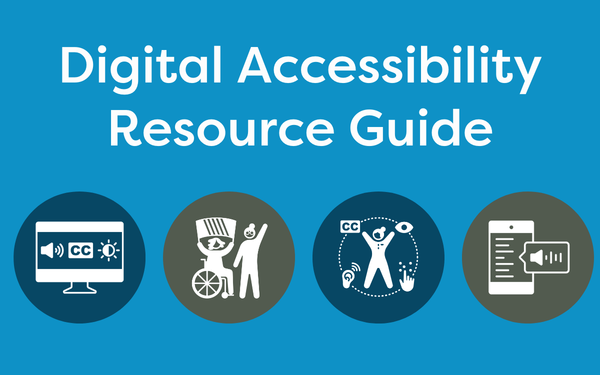
The ADA Title II compliance deadlines are approaching and they will affect many WiLS members. The guide below provides information to help libraries and cultural organizations ensure accessibility of their digital resources in compliance with the ADA, including:
We welcome additions from the community! If you have a tool or service you’d recommend to your colleagues, please let us know at information@wils.org.
This guide was created by WiLS originally for the WISPALS consortium, a collaboration of 11 Wisconsin technical college libraries.
Background Information
ADA Title II for State and Local Governments (ada.gov)
State and Local Governments: First Steps Toward Complying with the Americans with Disabilities Act Title II Web and Mobile Application Accessibility Rule
This resource can help you plan what steps your state or local government might want to take to begin complying with the rule. Creating and maintaining accessible content takes planning. This resource makes some suggestions to help state and local governments with that planning.
WCAG 2 Overview
This page introduces the Web Content Accessibility Guidelines (WCAG) international standard, including WCAG 2.0, WCAG 2.1, and WCAG 2.2. WCAG documents explain how to make web content more accessible to people with disabilities.
Accessibility Fundamentals Overview (W3C)
Information for getting started with accessibility, including:
Introduction to Web Accessibility
Introduces web accessibility and links to additional resources. Includes accessibility in context; why accessibility is important for individuals, businesses, society; making digital technology accessible; evaluating accessibility; and basic examples.
Accessibility: It’s About People
Explains the people aspect of accessibility.
Essential Components of Web Accessibility
Shows how web accessibility depends on several components of web development and interaction working together and shows the relationship between the WAI guidelines and other standards.
Accessibility Principles
A concise introduction to accessibility requirements for websites, apps, browsers, and other tools. It is organized similar to the WAI accessibility standards and provides a useful bridge to the standards. Read this page before reading the standards/guidelines.
New ADA Rules Explained (ALA)
Implications for Libraries and Frequently Asked Questions
Library Accessibility Toolkit
This toolkit was created in early 2020 by the Library Accessibility Alliance (LAA) and is intended to be a living document that provides libraries with resources related to library accessibility. All are welcome and encouraged to contribute and add relevant resources related to library accessibility to this toolkit.
Library Accessibility Alliance: Product Evaluations
The Library Accessibility Alliance contracts with third-party, independent accessibility consulting companies to perform high-level accessibility evaluations based on WCAG 2.1 AA and, when applicable, WCAG 2.2 AA. This resources shares the results of those evaluations as well as responses received from the vendor, where applicable. Visitors can also suggest resources for future evaluation.
Trainings, Webinars, and Courses
W3Cx: Introduction to Web Accessibility (EdX, free)
Get a strong foundation in digital accessibility to make your websites and apps work well for people with disabilities, meet international standards, and provide a better user experience for everyone. Self-paced, 16-20 hours.
Course List – Digital Accessibility Education, Training, and Certification (W3C)
This Course List provides information about courses, training, and certification on digital accessibility from different providers. It is meant to help you make informed decisions when choosing a resource. You can filter submissions to find those matching your specific interests and needs.
From Policy to Practice: ADA Title II and Libraries (Minitex, July 2025)
This session provided a practical overview of the updated ADA Title II rule, explored strategies for evaluating and improving digital accessibility, and offered space for discussion about the unique challenges libraries may face in implementing the new requirements.
Tools
WebAIM
Offers training, consulting, evaluation, and an Accessible Website Certification. They also provide a color contrast checker and the WAVE browser extension, which allows you to evaluate web content for accessibility issues directly within your browser.
Axe
An accessibility testing engine for websites and other HTML-based user interfaces. It’s fast, secure, lightweight, and was built to seamlessly integrate with any existing test environment so you can automate accessibility testing alongside your regular functional testing.
HTML Codesniffer
A script that checks HTML source code and detect violations of a defined coding standard. HTML Codesniffer by default defines WCAG 2.1 but can be configured for other standards and can also be easily extended for custom “sniffs.”
Tota11y
A simpler but more user-friendly tool for checking a page’s accessibility.
RGBlind
Evaluates a URL for the most common types of color blindness. It also has a browser extension.
Coblis – Color Blindness Simulator
Upload an image and test it for different types of color blindness.
PDF Accessibility Remediation
This solution was created by the Arizona State University Artificial Intelligence Cloud Innovation Center (AI CIC), powered by Amazon Web Services (AWS), to tackle a significant challenge in the digital era: improving the accessibility of digital document collections.
Free Accessibility Checker (SkyNet Technologies)
Scan a URL to compare to various international accessibility standards, including ADA and WCAG.
AccessiBe Widget
Website widget that scans for compliance issues; priced in tiers.
IrfanView
If you do not have access to Adobe, this free downloadable tool has similar features, including the ability to apply OCR (Optical Character Recognition) to PDFs.
Image Accessibility Creator
Arizona State University created this AI tool designed to generate alt text and detailed descriptions, as well as extract text from slides and images that are not accessible, simplifying the creation of inclusive content.
NVDA Screen Reader
NVDA is a free, open source screen reader. At no cost, it broadens the accessibility of computers and the information available on them to millions of blind and low vision people. Its nature os open source software enables translators and developers around the world to continually contribute to its expansion and improvement.
Equalize Digital Accessibility Checker
This free tool is an automated accessibility testing and fixing plugin to help your WordPress website become and stay accessible.
Consultants / Services
Springshare: LibGuides Accessibility Review
Get accessibility guidance from Springy Experts on your LibGuides site content. In our full report, we’ll suggest changes, and demonstrate how to use LibGuides to make those edits. Other Springshare resources are available with product subscriptions.
AccessiBe Expert Audit
You’ll receive a detailed site assessment covering user journeys, ease of use, and compatibility with assistive technologies. Plus, you’ll get a prioritized action plan to help your dev team address accessibility gaps.